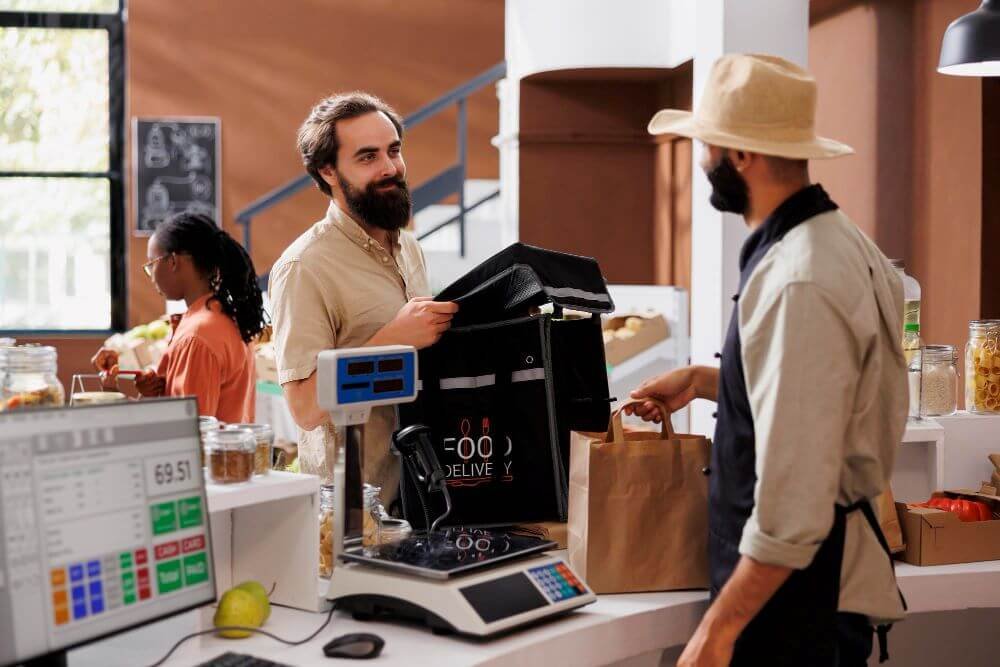
Drive-thru restaurants face constant pressure to move cars faster without losing accuracy or service quality. The right point-of-sale (POS) system can remove delays at every step of the process, from order entry to payment. A well-designed POS system helps staff take orders quickly, process payments faster, and keep traffic flowing smoothly through the lane.
Modern POS technology brings more than just a faster checkout. It connects order screens, payment options, and kitchen workflows to create a single, efficient process. With features like order confirmation displays, smart payment tools, and easy order editing, staff can serve more customers in less time while reducing mistakes.
Businesses that use advanced POS solutions often see shorter wait times and happier customers. They not only speed up transactions but also create smoother communication between the order window and the kitchen. This article explores how these tools maximize speed, improve service, and support stronger customer satisfaction in drive-thru operations.
Maximizing Speed and Efficiency With POS Systems
Modern drive-thru restaurants depend on fast service, smooth transactions, and accurate orders. The right POS system connects order entry, payment, and kitchen operations so staff can move quickly, reduce mistakes, and keep lines short.
Important Features for Faster Order Handling
A strong POS setup allows teams to take multiple orders at once and route them directly to the kitchen display screens without delay. Drive-thru terminals with touchscreen interfaces reduce the time spent opening menus or switching between functions. Simple layouts and clear buttons help employees enter orders faster.
Key features like order recall, quick tender options, and integrated payment support also matter. They let cashiers handle last‑minute changes or split bills swiftly. A point of sale for drive-through operations connects menu updates, pricing, and discounts across lanes to keep workflows consistent and accurate. Many systems now support mobile tablets for curbside or dual‑lane service. This flexibility helps restaurants keep traffic moving even during busy hours. Faster communication between lanes and kitchen staff reduces bottlenecks and keeps the service line flowing.
Order Accuracy and Seamless Processing
Fast service loses value if orders are wrong. A well‑designed POS reduces errors by sending requests directly from the drive‑thru screen to kitchen monitors in real time. This eliminates the need for handwritten notes or repeated verbal confirmations that often create confusion.
Integrated kitchen display systems (KDS) show each step of the order as it moves through preparation. This allows cooks and assemblers to track progress without stopping for clarification. It also helps managers check wait times and correct delays before they reach customers.
In addition, strong reporting tools inside the POS identify peak hours, order patterns, and problem points. Staff can adjust staffing levels or lane assignments based on real data rather than guesswork. By improving accuracy at each stage, restaurants protect both customer satisfaction and labor efficiency.
Optimizing Workflow in the Drive-Thru Lane
POS integration streamlines how employees handle each car from arrival to exit. Linking the order system with timers, cameras, and menu systems gives real‑time visibility into queue lengths and service speed. Managers can use that data to adjust the number of active lanes or assign staff based on demand.
Headset communication synced with POS terminals allows staff to move between tasks without confusion. Cross‑lane coordination helps avoid slowdowns caused by uneven workloads. Each employee can stay focused on either taking orders or fulfilling them rather than switching roles midstream.
Some restaurants also pair their POS with digital menu boards that update automatically. This keeps promotions current and makes decision‑making faster for customers. Consistent technology across lanes creates a predictable flow, which saves seconds per order and adds up to a major time gain over the day.
Improving Customer Experience Through Integrated Technologies
Modern drive-thru service relies on connected systems that help staff process orders faster, maintain accuracy, and create smoother customer interactions. By combining smart menu displays, data-driven insights, and secure payment tools, restaurants can reduce errors and shorten wait times without reducing service quality.
Digital Menu Boards and Communication Tools
Digital menu boards give customers dynamic, easy-to-read displays that adjust in real time based on demand, time of day, or promotions. They guide customers through orders by showing accurate images, clear prices, and available options. Restaurants can update these boards instantly without manual replacements.
Two-way communication tools, such as headset systems or voice assistants, help staff confirm details quickly. Clearer audio reduces mistakes, especially in noisy environments. Staff can verify modifications or substitutions before sending an order to the kitchen, improving order accuracy and customer trust.
These digital tools also support faster drive-thru service during peak hours. For example, automated greeting messages can start the order process before a staff member becomes available. By shortening talk and response time, the system improves efficiency while maintaining a friendly tone that keeps customers satisfied.
Real-Time Data Analytics for Continuous Improvement
Data analytics allows restaurants to monitor drive-thru performance as it happens. Managers can track average wait times, repeat errors, and peak activity periods across multiple lanes or locations. These insights help identify patterns that slow service.
By reviewing data from each order, restaurants can adjust staffing schedules and menu layouts. For instance, if certain items often cause delays, teams can reorganize kitchen workflows or place those items in faster prep zones. This targeted approach prevents recurring slowdowns.
Analytics also supports long-term planning. Historical data can predict future trends, helping restaurants plan inventory and staffing for seasonal demand. Real-time dashboards show progress toward service goals, helping staff stay aware of performance metrics that drive better customer experiences.
Contactless Payments and Mobile Integration
Contactless payments have become necessary for modern drive-thru service. Customers can pay with a phone, smartwatch, or contactless card, which speeds each transaction and reduces touchpoints. Fast authorization times prevent long lines and improve overall flow.
Many drive-thru systems also integrate with mobile ordering apps. This link allows customers to place and pay for orders before reaching the service window, leaving only pickup confirmation. It reduces conversational back-and-forth and cuts total lane time per car.
Integration with mobile wallets and loyalty programs further improves convenience. Customers can earn points or discounts automatically, while staff spend less time processing rewards manually. These connected payment systems create a smoother, quicker experience that fits the expectations of today’s drive-thru customer.
Conclusion
Drive-thru restaurants can speed up service by using POS systems that connect order placement, kitchen coordination, and payment in one unified process. These systems cut wait times by passing information directly to the kitchen and minimizing mistakes. As a result, employees handle more orders with fewer delays.
Features such as real-time tracking, mobile order input, and fast payment tools help staff manage each transaction quickly. Customers also gain clearer updates and shorter wait periods, which encourages repeat visits.
Efficient POS use supports steadier workflows and simpler communication across teams. By using precise data on order flow and timing, managers can plan staff schedules and prep routines more effectively. This approach keeps lines short, orders accurate, and customers satisfied.