
Professional networking has shifted from paper exchanges to instant digital connections, yet many professionals still struggle with outdated contact sharing methods. Digital business cards solve this problem by providing instant, updateable contact sharing that integrates directly with your existing business tools.
This comprehensive review examines 10 leading digital business card platforms, evaluating their features, pricing, and capabilities. Our research-backed comparison helps you choose the right solution based on real-world testing and detailed analysis of each provider’s strengths.
Why digital business cards are essential for modern networking
Digital business cards transform how professionals share and manage contact information. Unlike paper cards that become outdated the moment you change roles or phone numbers, digital cards update instantly across all shared connections.
They provide analytics showing who viewed your profile, when they accessed your information, and which links they clicked. Sales teams benefit from automatic CRM integration that captures leads without manual data entry. Event attendees can share contacts through QR codes, eliminating the need to carry physical cards. Remote workers and international professionals appreciate the ability to network across time zones without shipping delays or printing costs.
10 best digital business card solutions at a glance
- Wave Connect
- Digital Business Card
- wCard.io
- QR Code Chimp
- Mecard
- ZUMVU Business Card
- Sailax Digital Business Card
- QRD
- Know.ee
- Kopplcard
Our picks for the 10 best digital business card platforms
| Company Name | Starting Price | Key Features | Best For | Platform Support |
| Wave Connect | Free (PRO at $7/month) | QR codes, Apple/Google Wallet, unlimited contacts, CRM integration | Professionals and teams needing comprehensive contact management | iOS/Android/Web |
| Digital Business Card | $9.99/month | Custom branding, analytics, multiple card profiles | Entrepreneurs managing multiple ventures | iOS/Android/Web |
| wCard.io | Free (Premium at $5/month) | NFC support, lead capture forms, social media links | Freelancers and consultants | Web/Mobile |
| QR Code Chimp | $5/month | QR code generation, design customization, tracking | Marketing professionals | Web |
| Mecard | Free (Pro at $6/month) | Video introductions, contact exchange, analytics | Sales representatives | iOS/Android/Web |
| ZUMVU Business Card | Free (Premium at $10/month) | Portfolio showcase, appointment booking, payment links | Creative professionals | Web/Mobile |
| Sailax Digital Business Card | $4.99/month | Multi-language support, team management, custom domains | International businesses | Web/Mobile |
| QRD | Free (Premium at $8/month) | Dynamic QR codes, link management, scan tracking | Event organizers | Web |
| Know.ee | Free (Pro at $7/month) | Contact forms, file sharing, scheduling integration | Service providers | Web/Mobile |
| Kopplcard | $6/month | NFC cards, email signatures, contact syncing | Corporate teams | iOS/Android/Web |
Wave Connect
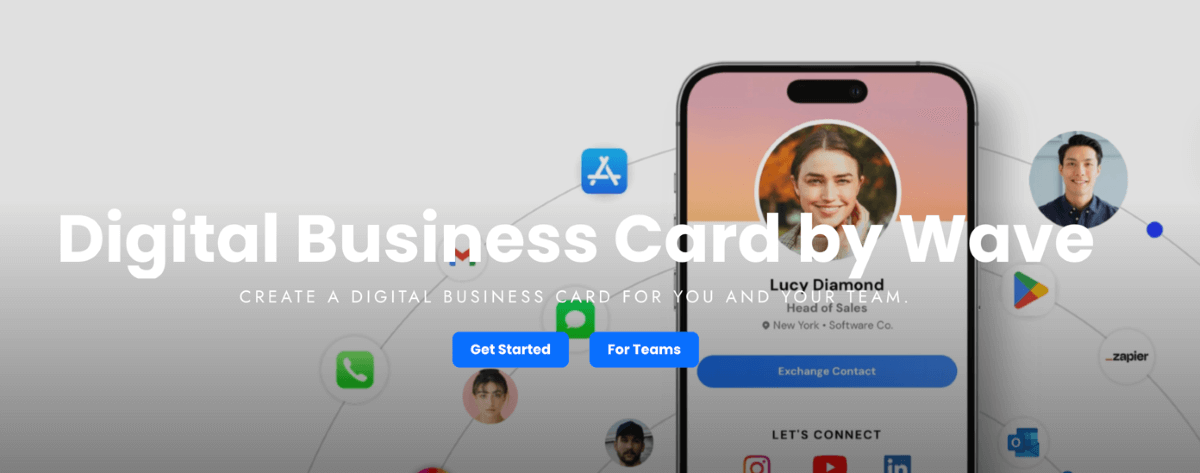
Wave Connect delivers a comprehensive digital business card platform that prioritizes ease of use and professional contact management. The platform allows users to create customizable digital profiles that update in real time, ensuring contacts always access current information.
Wave Connect supports multiple sharing methods including QR codes, Apple Wallet, Google Wallet, and NFC products, requiring no app download for recipients. The platform includes built-in contact management with unlimited storage, automated follow-up capabilities via email and SMS, and direct CRM integration with popular platforms like HubSpot and Salesforce. Users can scan traditional paper business cards using the mobile app’s scanner feature, converting physical contacts into digital records automatically.
Why it’s good for digital networking: Wave Connect excels at lead capture with three distinct sharing modes that adapt to different networking scenarios, from instant contact exchange to detailed lead form collection. The platform’s analytics dashboard tracks profile views, link clicks, and contact engagement, helping professionals measure networking effectiveness and follow up strategically.
Compliance & security: Wave Connect maintains SOC 2 Type 2 certification, demonstrating commitment to data security and privacy protection for both individual users and enterprise clients.
Key features:
- Free forever plan with QR code sharing, Apple Wallet, and Google Wallet integration
- Unlimited contact storage with tagging and labeling for organization
- Three sharing modes (Default, Lead Capture, and Share) for different networking contexts
- iOS widgets and Live Activities for quick access to digital cards
- Custom NFC business cards with company logo printing available
Integrations: Wave Connect connects with major CRM systems including HubSpot, Salesforce, and other business tools, enabling automatic lead capture and contact synchronization. The platform also integrates with email marketing services and calendar applications for streamlined follow-up workflows.
Pricing: Free plan available with core features. PRO plan at $7/month includes CRM integration, analytics tracking, video introductions, and advanced sharing modes. Teams plan offers enterprise features like Active Directory and SSO capabilities.
Pros & cons:
| Pros | Cons |
| Most comprehensive free plan with unlimited contact storage | Cannot create multiple business card profiles |
| Affordable PRO subscription at $7/month | No payment integration options like Cash App |
| Built-in business card scanner with AI capabilities | No link redirect functionality |
| Rated #1 Easiest to Use for teams on G2 | Android widgets not currently available |
| SOC 2 Type 2 certified for data security |
Digital Business Card
Digital Business Card provides a straightforward platform for creating and sharing professional contact information digitally. The service focuses on customization options, allowing users to design cards that match their brand identity with custom colors, logos, and background images. Users can create multiple card profiles for different business ventures or roles, making it suitable for entrepreneurs managing various projects.
The platform includes analytics features that track card views and link clicks, helping users understand engagement patterns. Digital Business Card supports standard sharing methods including QR codes and direct links, with options to add social media profiles, websites, and contact forms to each card.
Why it’s good for digital networking: Digital Business Card serves professionals who need to maintain separate identities for different business activities, offering the flexibility to switch between multiple card profiles. The platform’s analytics help users identify which contacts engage most with their information, enabling targeted follow-up strategies.
Compliance & security: Digital Business Card implements standard SSL encryption for data transmission and stores user information on secure servers with regular backups.
Key features:
- Multiple card profile creation for different business roles
- Custom branding with colors, logos, and images
- Analytics dashboard tracking views and engagement
- Social media and website link integration
Integrations: Digital Business Card offers basic integration with contact management systems and supports vCard export for compatibility with most address book applications.
Pricing: Plans start at $9.99/month for individual users with full customization and analytics features. Annual subscriptions offer discounted rates.
Pros & cons:
| Pros | Cons |
| Multiple card profiles for different ventures | Higher starting price than competitors |
| Strong customization options for branding | Limited CRM integration options |
| Clean, professional card designs | No free plan available |
| Analytics tracking for engagement | Fewer sharing method options |
wCard.io
wCard.io combines digital business card functionality with NFC technology, offering physical cards that transmit contact information through tap-to-share capabilities. The platform provides a web-based card builder where users design their digital profiles with contact information, social media links, and custom branding elements.
wCard.io emphasizes lead capture through customizable contact forms that collect visitor information when they view your card. The service includes basic analytics showing profile views and form submissions. Users can order physical NFC cards that link to their digital profiles, enabling contactless sharing at networking events and meetings.
Why it’s good for digital networking: wCard.io appeals to professionals who prefer the tangible aspect of physical cards combined with digital convenience, offering NFC-enabled cards that provide instant contact sharing through smartphone taps. The lead capture forms help convert profile views into actionable contacts with collected email addresses and phone numbers.
Compliance & security: wCard.io uses HTTPS encryption for all data transmission and follows standard data protection practices for storing user information.
Key features:
- NFC-enabled physical cards for tap-to-share functionality
- Customizable lead capture forms
- Social media and website link integration
- Basic analytics for profile views and submissions
Integrations: wCard.io supports vCard export and offers basic integration with email marketing platforms for lead management.
Pricing: Free plan available with basic features. Premium plan at $5/month includes NFC card ordering, advanced customization, and detailed analytics. Physical NFC cards sold separately.
Pros & cons:
| Pros | Cons |
| NFC physical cards available for purchase | Physical cards require additional cost |
| Affordable premium pricing at $5/month | Limited CRM integration capabilities |
| Lead capture forms included | Basic analytics compared to competitors |
| Free plan available for testing | Fewer customization options |
QR Code Chimp
QR Code Chimp specializes in QR code generation with digital business card functionality as one of its primary use cases. The platform allows users to create dynamic QR codes that link to digital contact profiles, with extensive customization options for QR code design including colors, logos, and frames.
Users can build digital business card pages that display contact information, social media links, and custom content when someone scans their QR code. QR Code Chimp provides detailed scan tracking analytics, showing when and where QR codes are scanned, along with device and location data. The platform supports bulk QR code creation for teams and organizations needing multiple cards.
Why it’s good for digital networking: QR Code Chimp excels for marketing professionals and event organizers who prioritize QR code aesthetics and tracking capabilities, offering branded QR codes that match company visual identity. The detailed scan analytics help users measure networking event effectiveness and identify high-engagement locations.
Compliance & security: QR Code Chimp implements secure data storage and provides GDPR-compliant data handling for European users.
Key features:
- Extensive QR code customization with colors, logos, and frames
- Dynamic QR codes that can be updated without reprinting
- Detailed scan tracking with location and device data
- Bulk QR code creation for teams
Integrations: QR Code Chimp integrates with Google Analytics for advanced tracking and supports webhook connections for custom workflow automation.
Pricing: Plans start at $5/month for basic features. Professional plans at $15/month include advanced analytics and bulk creation capabilities.
Pros & cons:
| Pros | Cons |
| Highly customizable QR code designs | Focuses more on QR codes than comprehensive cards |
| Detailed scan tracking and analytics | Limited contact management features |
| Affordable entry-level pricing | No built-in CRM integration |
| Bulk creation for teams | Requires separate tools for follow-up |
Mecard
Mecard offers digital business card creation with a focus on video introductions and personal branding. The platform allows users to add video content to their digital cards, creating more engaging first impressions than static contact information alone.
Mecard includes contact exchange functionality where both parties can share information simultaneously, streamlining mutual contact collection at networking events. The service provides analytics tracking profile views, video plays, and link clicks. Users can customize card designs with brand colors, logos, and background images. Mecard supports standard sharing methods including QR codes, direct links, and email signatures.
Why it’s good for digital networking: Mecard stands out for sales representatives and professionals who want to create memorable first impressions through video introductions, adding personality to digital contact sharing. The mutual contact exchange feature speeds up networking by collecting information from both parties in a single interaction.
Compliance & security: Mecard uses secure cloud storage for video content and contact information, with SSL encryption for all data transmission.
Key features:
- Video introduction capability for personalized cards
- Mutual contact exchange functionality
- Analytics tracking for views and engagement
- Customizable card designs with branding options
Integrations: Mecard offers basic CRM export functionality and supports vCard format for compatibility with standard contact management systems.
Pricing: Free plan available with limited features. Pro plan at $6/month includes video hosting, advanced analytics, and unlimited contact exchanges.
Pros & cons:
| Pros | Cons |
| Video introduction feature for engagement | Video hosting requires Pro plan |
| Mutual contact exchange functionality | Limited CRM integration options |
| Affordable Pro pricing at $6/month | Basic analytics compared to competitors |
| Free plan available | Fewer customization options than alternatives |
ZUMVU Business Card
ZUMVU Business Card combines digital contact sharing with portfolio showcase capabilities, making it particularly suitable for creative professionals and service providers. The platform allows users to display work samples, project galleries, and service descriptions alongside contact information.
ZUMVU includes appointment booking functionality that integrates with calendar systems, enabling prospects to schedule meetings directly from the digital card. The service supports payment link integration, allowing users to accept payments through their digital cards. ZUMVU provides customization options for card layouts and branding, with analytics tracking visitor engagement and booking conversions.
Why it’s good for digital networking: ZUMVU serves creative professionals and service providers who need to showcase work samples while sharing contact information, combining portfolio presentation with lead capture. The integrated appointment booking removes friction from the scheduling process, converting profile views into confirmed meetings.
Compliance & security: ZUMVU implements secure payment processing through established payment gateway partners and uses SSL encryption for all transactions and data storage.
Key features:
- Portfolio and work sample showcase capabilities
- Integrated appointment booking with calendar sync
- Payment link integration for service providers
- Customizable card layouts and branding
Integrations: ZUMVU connects with popular calendar applications including Google Calendar and Outlook, and integrates with payment processors like Stripe and PayPal.
Pricing: Free plan available with basic features. Premium plan at $10/month includes appointment booking, payment integration, and advanced portfolio features.
Pros & cons:
| Pros | Cons |
| Portfolio showcase for creative work | Higher pricing than basic card services |
| Appointment booking integration | More features than needed for simple networking |
| Payment processing capabilities | Steeper learning curve |
| Calendar synchronization | Limited focus on pure contact management |
Sailax Digital Business Card
Sailax Digital Business Card focuses on international business needs with multi-language support and custom domain capabilities. The platform allows users to create digital cards in multiple languages, automatically displaying content based on visitor location or preference.
Sailax includes team management features for organizations, enabling administrators to create and manage cards for multiple team members from a central dashboard. The service supports custom domain hosting, allowing businesses to host digital cards on their own branded URLs. Sailax provides analytics tracking card views, contact downloads, and geographic visitor data.
Why it’s good for digital networking: Sailax excels for international businesses and multinational teams that need to present contact information in multiple languages, ensuring clear communication across language barriers. The team management dashboard simplifies card administration for organizations managing numerous employee profiles.
Compliance & security: Sailax follows international data protection standards and provides GDPR-compliant data handling for European operations.
Key features:
- Multi-language support for international business
- Team management dashboard for organizations
- Custom domain hosting for branded URLs
- Geographic analytics for visitor tracking
Integrations: Sailax offers basic CRM export functionality and supports API connections for custom integrations with business systems.
Pricing: Plans start at $4.99/month for individual users. Team plans with management features start at $12.99/month per user with volume discounts available.
Pros & cons:
| Pros | Cons |
| Multi-language support for global teams | Team plans can be expensive |
| Custom domain hosting available | Limited integration options |
| Affordable individual pricing | Basic analytics features |
| Team management dashboard | Fewer sharing methods than competitors |
QRD
QRD provides dynamic QR code management with digital business card functionality integrated into its broader link management platform. The service allows users to create QR codes that link to digital contact profiles, with the ability to update destination URLs without reprinting codes.
QRD includes scan tracking analytics showing when, where, and how often QR codes are scanned. The platform supports multiple QR code types including vCard formats that add contacts directly to phone address books when scanned. QRD offers QR code design customization with colors, logos, and frames to match brand identity.
Why it’s good for digital networking: QRD serves event organizers and professionals who distribute printed materials with QR codes, offering the flexibility to update contact information without reprinting marketing materials. The scan tracking helps measure event attendance and engagement at different locations.
Compliance & security: QRD implements secure link management and provides data encryption for all stored information and tracking data.
Key features:
- Dynamic QR codes that can be updated post-printing
- Scan tracking with location and time data
- vCard QR code format for direct contact saving
- QR code design customization options
Integrations: QRD integrates with Google Analytics for advanced tracking and supports webhook connections for custom automation workflows.
Pricing: Free plan available with basic features and limited scans. Premium plan at $8/month includes unlimited scans, advanced analytics, and custom branding.
Pros & cons:
| Pros | Cons |
| Dynamic QR codes update without reprinting | Focuses primarily on QR code management |
| vCard format for direct contact saving | Limited digital card customization |
| Scan tracking with location data | No built-in contact management |
| Free plan available | Requires external tools for follow-up |
Know.ee
Know.ee combines digital business card functionality with file sharing and scheduling capabilities, creating a comprehensive professional profile platform. The service allows users to share documents, presentations, and resources directly from their digital cards, making it useful for consultants and service providers who need to distribute materials during networking.
Know.ee includes contact form functionality that collects visitor information and inquiry details. The platform integrates with scheduling tools, enabling prospects to book meetings directly from the digital card. Know.ee provides customization options for card design and layout, with analytics tracking profile views and document downloads.
Why it’s good for digital networking: Know.ee serves service providers and consultants who need to share resources and schedule meetings as part of their networking process, combining contact sharing with document distribution. The integrated scheduling removes back-and-forth email exchanges when booking initial consultations.
Compliance & security: Know.ee uses secure file storage with encryption for uploaded documents and implements SSL protection for all data transmission.
Key features:
- File sharing and document distribution from cards
- Contact forms for inquiry collection
- Scheduling integration for meeting booking
- Customizable card designs and layouts
Integrations: Know.ee connects with popular calendar applications and supports integration with cloud storage services like Google Drive and Dropbox for file management.
Pricing: Free plan available with limited file storage. Pro plan at $7/month includes unlimited file sharing, scheduling integration, and advanced analytics.
Pros & cons:
| Pros | Cons |
| File sharing capabilities for resources | More complex than basic card services |
| Scheduling integration included | Limited CRM integration options |
| Contact form functionality | File storage limits on free plan |
| Affordable Pro pricing | Fewer sharing method options |
Kopplcard
Kopplcard offers digital business card solutions with emphasis on NFC technology and email signature integration. The platform provides physical NFC cards that transmit contact information through smartphone taps, combining traditional card exchange gestures with digital convenience.
Kopplcard includes email signature generation tools that create professional signatures with embedded digital card links. The service supports contact syncing across devices, ensuring updated information appears everywhere the card is shared. Kopplcard provides team management features for corporate clients, allowing administrators to create and update cards for multiple employees.
Why it’s good for digital networking: Kopplcard appeals to corporate teams seeking consistent branding across employee digital cards, offering centralized management and NFC card ordering for entire departments. The email signature integration ensures every outgoing message includes updated contact information and digital card access.
Compliance & security: Kopplcard implements enterprise-grade security for team accounts and provides data encryption for all stored contact information.
Key features:
- NFC physical cards for tap-to-share functionality
- Email signature generation with card links
- Contact syncing across multiple devices
- Team management for corporate accounts
Integrations: Kopplcard supports integration with major email platforms for signature deployment and offers basic CRM export functionality.
Pricing: Individual plans start at $6/month including digital card and email signature features. Team plans with management dashboard start at $10/month per user. Physical NFC cards sold separately.
Pros & cons:
| Pros | Cons |
| NFC cards available for corporate teams | Physical cards require additional purchase |
| Email signature integration included | Limited analytics compared to competitors |
| Team management dashboard | Higher pricing for team accounts |
| Contact syncing across devices | Fewer customization options |
Selection criteria and review methodology for the best digital business card solutions
This comprehensive list was compiled through a global review of 10 digital business card companies specializing in modern networking solutions. Each provider was evaluated across six dimensions to ensure recommendations reflect real-world networking requirements and deliver measurable value.
Design & customization: Providers must demonstrate extensive template variety, advanced branding options, visual appeal customization, and comprehensive personalization capabilities. We rejected basic solutions in favor of companies offering sophisticated design flexibility that allows professionals to match their brand identity precisely.
Sharing & connectivity: We require comprehensive sharing methods including QR code generation, NFC compatibility, social media integration, instant contact sharing, email signatures, and multiple distribution channels. The best platforms make sharing effortless across different networking scenarios.
Analytics & tracking: Priority goes to providers with detailed contact engagement metrics, comprehensive sharing analytics, lead tracking capabilities, and performance insights. These features help users measure networking effectiveness and calculate return on investment.
Integration capabilities: We demand providers who offer robust CRM connections, email marketing tool integrations, calendar synchronization, and extensive third-party app compatibility. Proper integrations ensure digital cards fit into existing workflows without creating additional work.
User experience: We verify mobile app quality, intuitive setup processes, efficient contact management systems, sharing simplicity, and overall interface design. Platforms must promote adoption and consistent usage through excellent user experience.
Business features: We evaluate team management capabilities, bulk card creation, advanced lead capture forms, enterprise-level functionality, collaboration tools, and scalability. Organizations need platforms that grow with their teams and support complex business requirements.
How to choose the right digital business card platform
Selecting the right digital business card platform depends on your specific networking needs and business requirements. Consider these factors:
Team size and scaling needs:
- Individual professionals can use free or low-cost plans with basic features
- Growing teams need platforms with user management and bulk creation
- Enterprises require advanced features like SSO and Active Directory integration
Industry requirements:
- Sales teams benefit from CRM integration and lead capture forms
- Creative professionals need portfolio showcase capabilities
- Service providers should prioritize appointment booking features
- Event organizers require detailed scan tracking and analytics
Budget considerations:
- Free plans work for basic contact sharing needs
- Premium plans ($5-10/month) add analytics and customization
- Team plans offer volume discounts for organizations
- Calculate cost per user for accurate budget planning
Technical requirements:
- Verify CRM compatibility with your existing systems
- Check mobile app availability for iOS and Android
- Confirm integration with your email marketing platform
- Assess API availability for custom connections
Branding and customization:
- Evaluate template variety and design flexibility
- Check logo and color customization options
- Verify custom domain hosting availability
- Review video and multimedia support
Why choose Wave Connect for digital networking
Wave Connect stands out as the most comprehensive digital business card solution with the strongest free plan and most affordable premium pricing. The platform combines ease of use with professional features that serve both individual professionals and enterprise teams.
- Free forever plan includes QR code sharing, Apple Wallet, Google Wallet, unlimited contact storage, and business card scanning
- Three distinct sharing modes adapt to different networking scenarios, from instant exchange to detailed lead capture
- SOC 2 Type 2 certification ensures enterprise-grade security for sensitive contact data
- G2 recognition as #1 Easiest to Use platform for teams demonstrates superior user experience
- PRO plan at $7/month provides exceptional value with CRM integration, analytics, and video introductions
- Built-in contact management with tagging, labeling, and automated follow-up via email and SMS
- iOS widgets and Live Activities offer quick access to digital cards without opening apps
- Custom NFC business cards available with company logo printing for professional networking events
Final thoughts
Choosing the right digital business card solution transforms how you network and manage professional connections. The platforms reviewed here offer different strengths, from Wave Connect’s comprehensive free features to specialized solutions for creative professionals and international teams. Consider your specific networking needs, budget constraints, and technical requirements when making your decision.
The best digital business card platform integrates into your existing workflow, provides measurable networking insights, and grows with your professional needs. Ready to modernize your networking approach? Get started to see how the right digital business card solution can enhance your professional connections.
Frequently Asked Questions About Digital Business Cards
What setup process can I expect for digital business cards?
Most digital business card platforms offer quick setup taking 2-5 minutes, requiring only basic contact information, profile photo, and social media links. Advanced customization like branding, video introductions, and CRM integration can be added after initial setup.
How do I share my digital business card with contacts?
Digital business cards can be shared through QR codes, direct links, email, text message, Apple Wallet, Google Wallet, NFC tap, and email signatures. Most platforms support multiple sharing methods simultaneously for flexibility in different networking situations.
What analytics features should I expect from digital business cards?
Quality platforms provide analytics showing profile views, link clicks, contact information downloads, geographic visitor data, and engagement timing. Advanced analytics include lead scoring, conversion tracking, and integration with business intelligence tools.
Are digital business cards compatible with CRM systems?
Leading digital business card platforms integrate with major CRM systems including HubSpot, Salesforce, Zoho, and Pipedrive. Integration enables automatic lead capture, contact synchronization, and streamlined follow-up workflows without manual data entry.
Can I customize my digital business card design?
Most platforms offer extensive customization including brand colors, logos, background images, fonts, and layout options. Premium plans typically provide more design flexibility, custom domains, and the ability to match corporate brand guidelines precisely.
How do digital business cards handle contact management?
Digital business card platforms typically include contact management features like unlimited storage, tagging and labeling, search functionality, and automated follow-up capabilities. Advanced platforms offer CRM-like features including notes, reminders, and relationship tracking.
What security measures protect digital business card data?
Reputable platforms implement SSL encryption, secure cloud storage, regular backups, and compliance certifications like SOC 2 Type 2 and GDPR. Enterprise plans often include additional security features like SSO, two-factor authentication, and data residency options.